
Small Form Factor, Big Expectations: Making Meeting Room PCs Work for Everyone
Published on
May 14, 2025
Eddie Morgan

If you’re managing IT in a modern workplace, chances are there’s a Windows-based small form factor PC sitting quietly in the corner of your meeting rooms. And chances are you’re being asked to make it do a lot more than just run video calls.
From architectural practices running rendering software to manufacturers needing to access proprietary design systems or ERPs, IT admins are under pressure to make sure these tiny machines can do it all without becoming a support nightmare.
Here’s the challenge:
You need flexibility to run business specific tools.
You need consistency so users don’t panic every time they enter a new room.
You need control to make sure those devices stay secure and locked down.
And you need to deliver all that without compromise.
The New Demands on Meeting Room PCs
Once used just for launching a call, today’s meeting room PCs are expected to run:
AutoCAD, Rhino or Revit in architecture and design reviews
SOLIDWORKS or Siemens NX for engineering team huddles
Industry specific CRMs and ERPs like Sage, Act! or bespoke logistics software
Creative suites like Adobe Illustrator or Premiere Pro for on the fly edits
Plus, they still need to join Zoom, Teams, or Webex calls with a single click
It’s no longer enough for the PC to just be there. It has to work securely, instantly, and reliably every time.
What IT Needs (That End Users Will Never See)
Your end users want one thing: for the tech to “just work”
Your team wants fewer callouts, fewer tickets, and zero drama
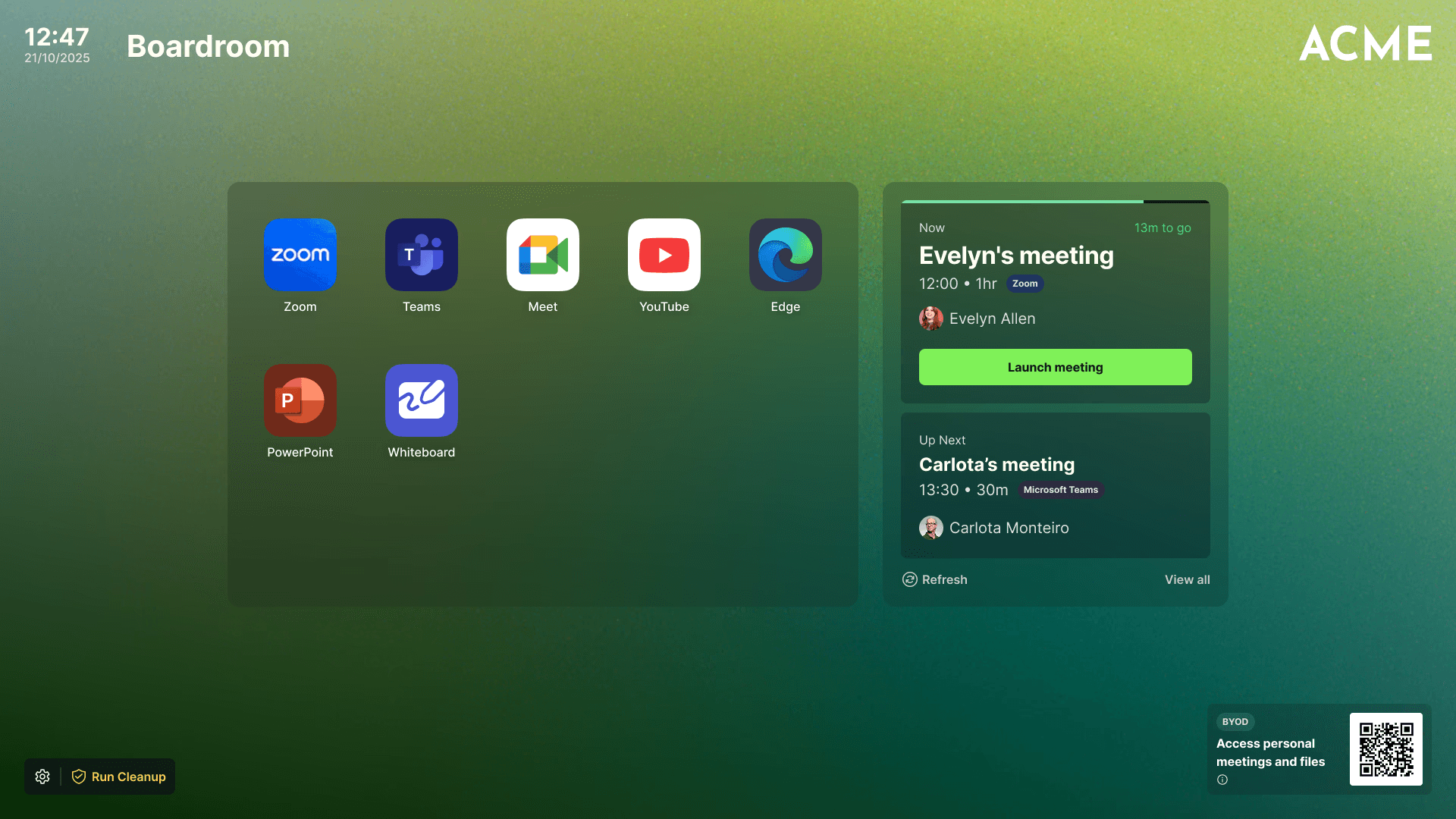
That’s where Launcher helps you meet both demands. It’s built to standardize your room setups, lock down the Windows OS, and deliver fast access to every tool your users rely on whether that’s starting a meeting, opening a CAD file, or checking a customer order.
With Launcher, you can:
Lock down PCs with Kiosk Mode, so only approved apps are accessible
Add custom shortcuts to the tools your teams need
Set room specific calendars for one touch video call access
Use Auto Cleanup to reset the PC after every session
Manage everything remotely with Microsoft Intune
It’s flexibility for your users. Control for your team. No compromise
Real Flexibility, Zero Frustration
Launcher gives IT admins what they rarely get: a break. Once set up, there are no popups, no saved logins, no cluttered desktops. Every meeting room offers the same clean, secure, user friendly experience.
Set It Up Once. Trust it Every Time
So whether your CEO is reviewing plans in AutoCAD, your finance team is checking Sage, or your product lead is joining a Zoom call from the same machine it just works.
And when it works, you stop getting the blame and start getting the credit.
Final Thought
Small form factor PCs in meeting rooms aren’t going away. If anything, the demand on them is growing. Businesses want more from the devices they already own and it’s IT’s job to make that happen.
With Launcher, you can say yes to more apps, more use cases, and more departments without sacrificing security, usability or sanity.
Flexibility without compromise isn’t just possible. It’s expected.
Related blogs
Create stunning digital products with just a single prompt. No design, coding, or technical skills needed.